
Installing an SNGuru Update Set
ServiceNow Guru hosts a variety of useful customizations that you can download and install directly in your Service-now instance. Here’s how you can get them installed!
1Download the update set from the downloads section and unzip the downloaded file
2Ensure that you have installed the ‘System Update Sets‘ plugin on your instance
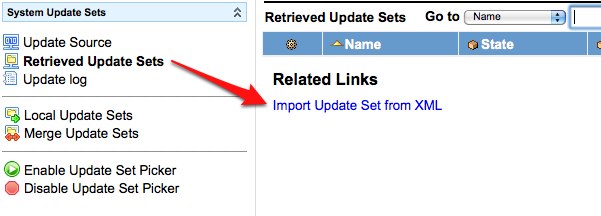
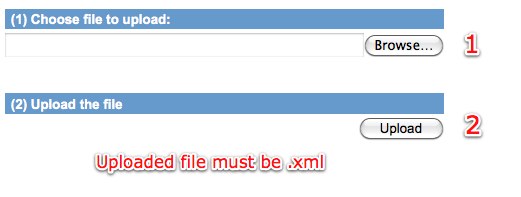
3Navigate to ‘System Update Sets -> Retrieved Update Sets’ in your Service-now instance and click the ‘Import Update Set from XML’ link at the bottom of the list
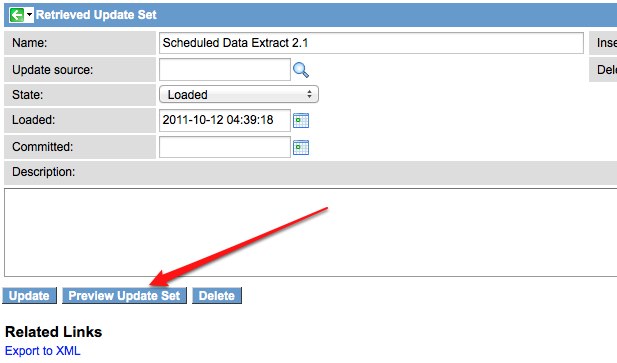
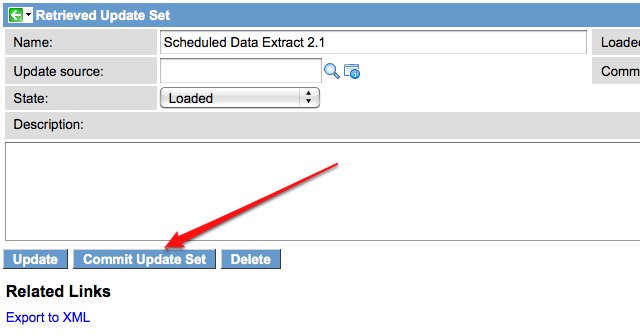
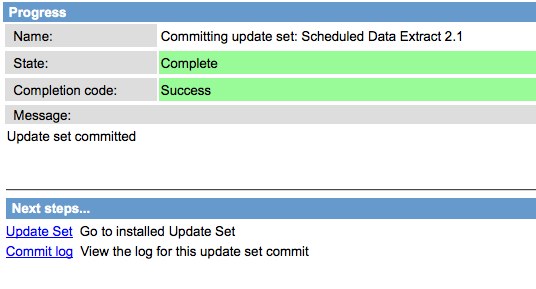
6Once the update set has been previewed, open it and click the ‘Commit Update Set’ button. This process may take a while depending on the size of the update set you are committing. Once the process is finished, you will see a confirmation message as shown below.

Date Posted:
January 1, 2010
Share This:





Fresh Content
Direct to Your Inbox
Just add your email and hit subscribe to stay informed.