
GlideQuery Cheat Sheet
GlideQuery is a modern, flexible API introduced to simplify and streamline database operations in ServiceNow. It provides a more intuitive and readable approach to querying data, replacing the traditional GlideRecord scripts with a more elegant and performant solution. Whether you are a novice developer just getting started with ServiceNow or an experienced professional looking to optimize your workflows, understanding and mastering GlideQuery is essential.
In this comprehensive guide, we will take you through the fundamentals of GlideQuery, from basic concepts and syntax to advanced techniques and best practices. By the end of this article, you will have a solid grasp of how to leverage GlideQuery to enhance your data handling capabilities in ServiceNow, making your development process more efficient and your applications more responsive.
Let’s dive in and explore the power of GlideQuery, unlocking new potentials in your ServiceNow development journey.
Principles of GlideQuery
Peter Bell, a software engineer at ServiceNow, initially developed these API to use as an external tool for his team. Gradually, the API became an integral part of the platform, specifically integrated into the Paris release.
This API is versatile, compatible with both global and scoped applications. In the latter case, developers need to prefix their API calls with “global” to ensure proper functionality:
var user = new GlideQuery('sys_user')

var user = new global.GlideQuery('sys_user')
The API is entirely written in JavaScript and operates using GlideRecord in a second layer. Instead of replacing GlideRecord, its purpose is to enhance the development experience by minimizing errors and simplifying usage for developers.
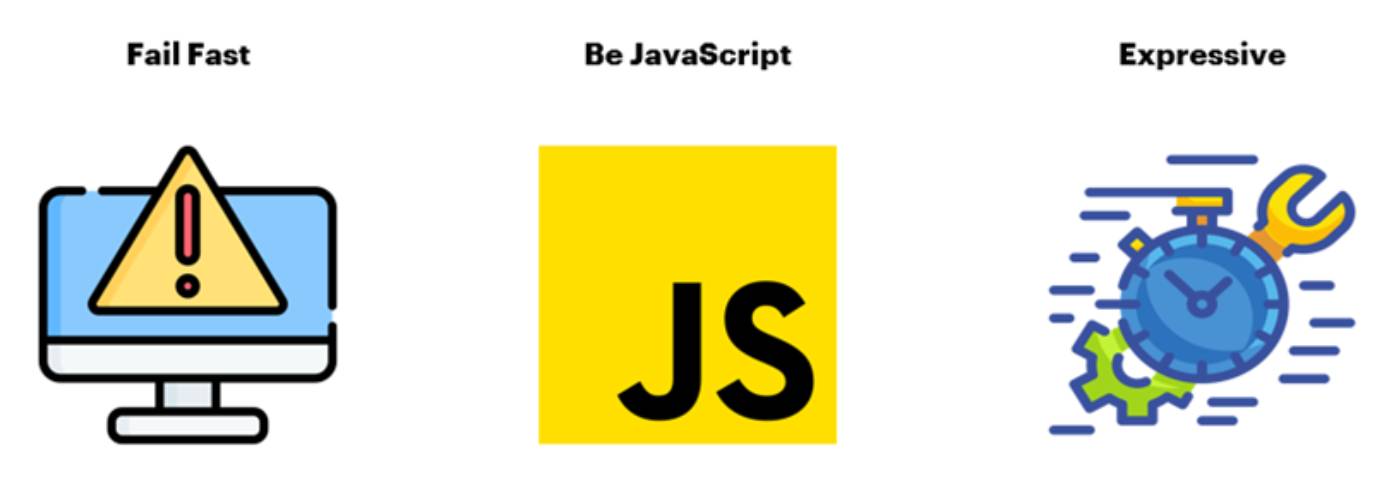
I. Fail Fast
Detect errors as quickly as possible, before they become bugs.
Through a new type of error, NiceError, which facilitates the diagnosis of query errors, it is possible to know exactly what is wrong in your code and quickly fix it. Examples:
Field name validation
The API checks if the field names used in the query are valid and returns an error if any of them are not. In some cases, this is extremely important as it can prevent major issues. In the example below, using GlideRecord it would delete ALL records from the user table because the field name is written incorrectly. Note that the line that would delete the records has been commented out for safety and we have added a while loop just to display the number of records that would be deleted.
var gr = new GlideRecord('sys_user');
gr.addQuery('actived', '!=', true);
gr.query();
//gr.deleteMultiple();  commented for safety
gs.info(gr.getRowCount());
while (gr.next()) {
    gs.info(gr.getDisplayValue('name'));
}
Using GlideQuery the API returns an error and nothing is executed:
var myGQ = new GlideQuery('sys_user')
    .where('activated', '!=', true)
    .del();
Returns:
NiceError: [2024-07-22T12:58:23.681Z]: Unknown field 'activated' in table 'sys_user'. Known fields:
[
  "country",
  "calendar_integration",
  etc.
Choice field validation
The API checks whether the option chosen for the field exists in the list of available options when it is of type choice. In the example below, using GlideRecord, the script would return nothing:
var gr = new GlideRecord('incident');
gr.addQuery('approval', 'donotexist'); //invalid value for the choice field 'approval'
gr.query();
while (gr.next()) {
    gs.info(gr.getDisplayValue());
}
Using GlideQuery, the API returns an error and nothing is executed:
var tasks = new GlideQuery('incident')
    .where('approval', 'donotexist')
    .select('number')
    .forEach(gs.log);
Returns:
NiceError: [2024-07-22T12:57:33.975Z]: Invalid choice 'donotexist' for field 'approval' (table 'incident'). Allowed values:
[
  "not requested",
  "requested",
  "approved",
  "rejected"
]
Value type validation
The API checks whether the type of value chosen for the field is correct.
var tasks = new GlideQuery('incident')
    .where('state', '8') // invalid value for the choice field 'state'
    .select('number')
    .forEach(function (g) {
        gs.info(g.number);
    });
Returns:
NiceError: [2024-07-22T12:56:51.428Z]: Unable to match value '8' with field 'state' in table 'incident'. Expecting type 'integer'
II. Be JavaScript (native JavaScript)
JavaScript objects bringing more familiarity to the way queries are made and reduce the learning curve. With GlideRecord we often have problems with the type of value returned:
var gr = new GlideRecord('sys_user');
gr.addQuery('first_name', 'Abel');
gr.query();

if (gr.next()) {
    gs.info(gr.first_name);
    gs.info(gr.firt_name === 'Abel');
    gs.info(typeof(gr.first_name));
}
Returns:
*** Script: Abel
*** Script: false
*** Script: object
As we can see Abel is different from Abel!
The reason for this confusion is that GlideRecord returns a Java object.
Using GlideQuery we don’t have this problem:
var user = new GlideQuery('sys_user')
    .where('first_name', 'Abel')
    .selectOne('first_name')
    .get(); // this method can throw error if no record is found

gs.info(user.first_name);
gs.info(user.first_name === 'Abel');
gs.info(typeof (user.first_name));
Returns:
*** Script: Abel
*** Script: true
*** Script: string
III. Be Expressive
Do more with less code! Simplify writing your code!
Performance
Using GlideQuery can increase processing time by around 4%, mainly due to the conversion of the Java object to JavaScript. However, keep in mind that we will often do this conversion manually after a GlideRecord.
Stream x Optional
The API works together with 2 other APIs: Stream and Optional. If the query returns a single record, the API returns an Optional object. If it returns several records, the API returns an object of type Stream, which is similar to an array. These objects can be manipulated according to the methods of each API.
Practical Examples
Before we start with the examples, it is necessary to make 2 points clear
- The primary key of the table (in our case normally the sys_id) is always returned even if the request is not made in Select.
- Unlike GlideRecord, GlideQuery does not return all record fields. We need to inform the name of the fields we want to get:
.selectOne([‘field_1’, ‘field_2’, ‘field_n’])
I. selectOne
It is very common that we only need 1 record and in these cases we use selectOne(). This method returns an object of type Optional and we need a terminal method to process it:
a) get
// Searches for the user and if it does not exist returns an error
var user = new GlideQuery('sys_user')
    .where('last_name', 'Luddy')
    .selectOne('first_name')
    .get(); // this method can throw error if no record is found

gs.info(JSON.stringify(user, null, 4));
If success:
Script: {
    "first_name": "Fred",
    "sys_id": "5137153cc611227c000bbd1bd8cd2005"
}
If fail:
NiceError: [2024-07-21T22:28:48.274Z]: get() called on empty Optional: Unable to find a record with the following query:
GlideQuery<sys_user> [
  {
    "type": "where",
    "field": "last_name",
    "operator": "=",
    "value": "Luddyx",
    "whereClause": true
  }
]
b) orElse
Optional method used to handle queries that do not return any value.
var user = new GlideQuery('sys_user')
    .where('last_name', 'Luddy')
    .selectOne(['first_name'])
    .orElse({  //Method in the Optional class to return a default value.
        first_name: 'Nobody'
    });

gs.info(JSON.stringify(user, null, 4));
If success:
Script: {
    "first_name": "Fred",
    "sys_id": "5137153cc611227c000bbd1bd8cd2005"
}
If fail:
Script: {
    "first_name": "Nobody"
}
c) ifPresent
var userExists = false;
new GlideQuery('sys_user')
    .where('last_name', 'Luddy')
    .selectOne(['first_name'])
    .ifPresent(function (user) {
        gs.info(user.first_name + ' - ' + user.sys_id);
        userExists = true;
    });

gs.info(userExists);
If user exists:
*** Script: Fred - 5137153cc611227c000bbd1bd8cd2005
*** Script: true
If not:
*** Script: false
d) isPresent
var userExists = new GlideQuery('sys_user')
   .where('last_name', 'Luddy')
    . selectOne(['first_name'])
    .isPresent();

gs.info(userExists);
If user exists:
*** Script: true
If not:
*** Script: false
e) isEmpty
var userExists = new GlideQuery('sys_user')
   .where('last_name', 'Luddy')
    .selectOne(['first_name'])
    .isEmpty();

gs.info(userExists);
If user exists:
*** Script: false
If not:
*** Script: true
II. get
Returns a single record using sys_id
var user = new GlideQuery('sys_user')
    .get('62826bf03710200044e0bfc8bcbe5df1', ['first_name', 'last_name'])
    .orElse({
        first_name: 'Nobody',
        last_name: 'Nobody'
    });

gs.info(JSON.stringify(user, null, 4));
If user exists:
*** Script: {
    "sys_id": "62826bf03710200044e0bfc8bcbe5df1",
    "first_name": "Abel",
    "last_name": "Tuter"
}
If not:
*** Script: {
    "first_name": "Nobody",
    "last_name": "Nobody"
}
III. getBy
Returns a single record (even if there is more than 1 record) using the keys used as parameters.
var user = new GlideQuery('sys_user')
    .getBy({
        first_name: 'Fred',
        last_name: 'Luddy'
    }, ['city', 'active']) // select first_name, last_name, city, active
    .orElse({
        first_name: 'Nobody',
        last_name: 'Nobody',
        city: 'Nowhere',
        active: false
    });

gs.info(JSON.stringify(user, null, 4));
If user exists:
*** Script: {
    "first_name": "Fred",
    "last_name": "Luddy",
    "city": null,
    "active": true,
    "sys_id": "5137153cc611227c000bbd1bd8cd2005"
}
If not:
*** Script: {
    "first_name": "Nobody",
    "last_name": "Nobody",
    "city": "Nowhere",
    "active": false
}
IV. insert
The insert method needs an object as a parameter where each property must be the name of the field we want to fill. The insert returns an Optional with the data of the inserted object and the sys_id. We can also request extra fields for fields that are automatically populated:
var user = new GlideQuery('sys_user')
    .insert({
        active: false,
        first_name: 'Thiago',
        last_name: 'Pereira',
    },['name'])
    .get()

gs.info(JSON.stringify(user, null, 4));
Returns:
*** Script: {
    "sys_id": "40f6e42147efc210cadcb60e316d43be",
    "active": false,
    "first_name": "Thiago",
    "last_name": "Pereira",
    "name": "Thiago Pereira"
}
V. update
The API has a method for when we want to update just one record. To use this method, the field used in the “where” must be the primary key and this way it updates just 1 record.
var user = new GlideQuery('sys_user')
    .where('sys_id', '40f6e42147efc210cadcb60e316d43be') //sys_id of the record created in the insert example
    .update({ email: 'thiago.pereira@example.com', active: true }, ['name'])
    .get();
gs.info(JSON.stringify(user, null, 4));
Returns:
*** Script: {
    "sys_id": "40f6e42147efc210cadcb60e316d43be",
    "email": "thiago.pereira@example.com",
    "active": true,
    "name": "Thiago Pereira"
}
VI. updateMultiple
var myQuery = new GlideQuery('sys_user')
    .where('active', false)
    .where('last_name', 'LIKE', 'Pereira')
    .updateMultiple({ active: false });

gs.info(JSON.stringify(myQuery, null, 4));
If success:
*** Script: {
    "rowCount": 1
}
If fail:
*** Script: {
    "rowCount": 0
}
VII. insertOrUpdate
This method receives an object with the key(s) to perform the search. If one of the keys is a primary key (sys_id), it searches for the record and updates the other fields entered in the object. If no primary key is passed or the sys_id is not found, the method will create a new record. In this method we cannot select fields other than those passed in the object.
// Create a new record even though a user already exists with the values
var user = new GlideQuery('sys_user')
    .insertOrUpdate({
        first_name: 'Thiago',
        last_name: 'Pereira'
    })
    .orElse(null);

gs.info(JSON.stringify(user, null, 4));
Returns:
*** Script: {
    "sys_id": "5681fca1476fc210cadcb60e316d43b6",
    "first_name": "Thiago",
    "last_name": "Pereira"
}
// Update an existing record
var user = new GlideQuery('sys_user')
 .insertOrUpdate({
 sys_id: '40f6e42147efc210cadcb60e316d43be', //sys_id of the record created in the insert example
 first_name: 'Tiago',
 last_name: 'Pereira'})
 .orElse(null);

gs.info(JSON.stringify(user, null, 4));
Returns:
*** Script: {
    "sys_id": "40f6e42147efc210cadcb60e316d43be",
    "first_name": "Tiago",
    "last_name": "Pereira"
}
// Creates a new record as the sys_id does not exist
var user = new GlideQuery('sys_user')
    .insertOrUpdate({
        sys_id: 'xxxxxxxxxxxxxxxxxxxx',
        first_name: 'Thiago',
        last_name: 'Pereira2'})
    .orElse(null);
gs.info(JSON.stringify(user, null, 4));
Returns:
*** Script: {
    "sys_id": "50e338ed47afc210cadcb60e316d4364",
    "first_name": "Thiago",
    "last_name": "Pereira2"
}
VIII. deleteMultiple / del
There is no method to delete just one record. To do this we need to use deleteMultiple together with where() using a primary key. The method does not return any value.
var user = new  GlideQuery('sys_user')
    .where('last_name', "CONTAINS", 'Pereira2')
    .deleteMultiple();
IX. whereNotNull
Note: We will talk about dot walking later.
new GlideQuery('sys_user')
    .whereNotNull('company')
    .whereNotNull('company.city')
    .select('name', 'company.city')
    .forEach(function (user) {
        gs.info(user.name + ' works in ' + user.company.city)
    });
Returns:
*** Script: Lucius Bagnoli works in Tokyo
*** Script: Melinda Carleton works in London
*** Script: Jewel Agresta works in London
*** Script: Christian Marnell works in Prague
*** Script: Naomi Greenly works in London
*** Script: Jess Assad works in Tokyo
etc.
X. limit
new GlideQuery('sys_user')
    .whereNotNull('company')
    .whereNotNull('company.city')
    .limit(2)
    .select('name', 'company.city')
    .forEach(function (user) {
        gs.info(user.name + ' works in ' + user.company.city)
    });
Returns:
*** Script: Mildred Gallegas works in Rome
*** Script: Elisa Gracely works in Rome
XI. select
We often need queries that return several records and in these cases we use select(). This method returns an object of type Stream and we need a terminal method to process it:
a) forEach
var arrIncidens = [];
var incidents = new GlideQuery('incident')
    .where('state', 2)
    .limit(2)
    .select('number')
    .forEach(function (inc) {
        gs.info(inc.number + ' - ' + inc.sys_id);
        arrIncidens.push(inc.sys_id);
    });

if (arrIncidens.length==0)
    gs.info('Not found.')
If success:
*** Script: INC0000025 - 46f09e75a9fe198100f4ffd8d366d17b
*** Script: INC0000029 - 46f67787a9fe198101e06dfcf3a78e99
If fail:
*** Script: Not found.
b) toArray
Returns an array containing the items from a Stream. The method needs a parameter that is the maximum size of the array, the limit being 100.
var users = new global.GlideQuery('sys_user')
    .limit(20)
    .select('first_name', 'last_name')
    .toArray(2); // max number of items to return in the array

gs.info(JSON.stringify(users, null, 4));
Returns:
*** Script: [
    {
        "first_name": "survey",
        "last_name": "user",
        "sys_id": "005d500b536073005e0addeeff7b12f4"
    },
    {
        "first_name": "Lucius",
        "last_name": "Bagnoli",
        "sys_id": "02826bf03710200044e0bfc8bcbe5d3f"
    }
]
c) map
Used to transform each record in a Stream.
new GlideQuery('sys_user')
    .limit(3)
    .whereNotNull('first_name')
    .select('first_name')
    .map(function(user) {
        return user.first_name.toUpperCase();
    })
    .forEach(function(name) {
        gs.info(name);
    });
Returns:
*** Script: SURVEY
*** Script: LUCIUS
*** Script: JIMMIE
d) filter
Note: The filter in a Stream always occurs after the query has been executed. Therefore, whenever possible, we should make all possible filters before the select to avoid loss of performance.
var hasBadPassword = function(user) {
    return !user.user_password ||
        user.user_password.length < 10 ||
        user.user_password === user.last_password ||
        !/\d/.test(user.user_password) // no numbers
        ||
        !/[a-z]/.test(user.user_password) // no lowercase letters
        ||
        !/[A-Z]/.test(user.user_password); // no uppercase letters
};

new GlideQuery('sys_user')
    .where('sys_id', 'STARTSWITH', '3')
    .select('name', 'email', 'user_password', 'last_password')
    .filter(hasBadPassword)
    .forEach(function(user) {
        gs.info(user.name + ' - ' + user.sys_id)
    });
Returns:
*** Script: Patty Bernasconi - 3682abf03710200044e0bfc8bcbe5d17
*** Script: Veronica Achorn - 39826bf03710200044e0bfc8bcbe5d1f
*** Script: Jessie Barkle - 3a82abf03710200044e0bfc8bcbe5d10
e) limit
Both the GlideQuery and Stream APIs have the limit() method. In GlideQuery it is executed before the execution of the query, which is more performant. For this reason, whenever possible, we should use the limit before executing the select.
new GlideQuery('task')
    .orderBy('priority')
    .limit(3) // Good: calling GlideQuery's limit method
    .select('assigned_to', 'priority', 'description')
    //.limit(3) // Bad: calling Stream's limit method
    .forEach(function(myTask) {
        gs.info(myTask.priority + ' - ' + myTask.assigned_to)
    });
Returns:
*** Script: 1 - 5137153cc611227c000bbd1bd8cd2007
*** Script: 1 - 681b365ec0a80164000fb0b05854a0cd
*** Script: 1 - 5137153cc611227c000bbd1bd8cd2007
f) find
Returns the first item found in the Stream according to the given condition. Important notes:
- Returns an Optional, which may be empty if no item is found.
- The first item in the Stream is returned if no condition is entered.
var hasBadPassword = function(user) {
    return !user.user_password ||
        user.user_password.length < 10 ||
        user.user_password === user.last_password ||
        !/\d/.test(user.user_password) || // no numbers
        !/[a-z]/.test(user.user_password) || // no lowercase letters
        !/[A-Z]/.test(user.user_password); // no uppercase letters
};
var disableUser = function(user) {
    var myGQ = new GlideQuery('sys_user')
        .where('sys_id', user.sys_id)
        .update({
            active: false
        }, ['user_name'])
        .get();
        gs.info(JSON.stringify(myGQ, null, 4));
};
var myUsers = new GlideQuery('sys_user')
    .select('name', 'email', 'user_password', 'last_password')
    .find(hasBadPassword)
    .ifPresent(disableUser);
Returns:
*** Script: {
    "sys_id": "0e826bf03710200044e0bfc8bcbe5d45",
    "active": false,
    "user_name": "ross.spurger"
}
g) reduce
var longestFirstName = new global.GlideQuery('sys_user')
   .whereNotNull('first_name')
   .select('first_name')
   .reduce(function (acc, cur) {
       return (cur.first_name.length > acc.length) ? cur.first_name : acc;
       }, '');

gs.info(JSON.stringify(longestFirstName));
Returns:
*** Script: "Sitemap Scheduler User"
h) Every
Executes a function on each item in the Stream. If it returns true for all items in the Stream, the method returns true, otherwise it returns false.
var numToCompare = 10;
//var numToCompare = 1000;

var hasOnlyShortDescriptions = new global.GlideQuery('task')
    .whereNotNull('description')
    .select('description')
    .every(function(t) {
        return t.description.length < numToCompare;
    });

gs.info(hasOnlyShortDescriptions);
If numToCompare is 10, returns:
*** Script: false
If numToCompare is 1000, returns:
*** Script: true
i) some
Executes a function on each item in the Stream. If it returns true for at least one item in the Stream, the method returns true, otherwise it returns false.
var numToCompare = 10;
//var numToCompare = 1000;

var hasLongDescriptions = new global.GlideQuery('task')
   .whereNotNull('description')
   .select('description')
   .some(function (t) {
      return t.description.length > numToCompare;
   });

gs.info(hasLongDescriptions);
If numToCompare is 10, returns:
*** Script: true
If numToCompare is 1000, returns:
*** Script: false
j) flatMap
FlatMap is very similar to map but with 2 differences:
- The function passed to flatMap must return a Stream.
- The flatMap manipulates (unwraps/flattens) the returned Stream so that the “parent” method can return the result.
var records = new global.GlideQuery('sys_user')
    .where('last_login', '>', '2015-12-31')
    .select('first_name', 'last_name')
    .flatMap(function(u) {
        return new global.GlideQuery('task')
            .where('closed_by', u.sys_id)
            .where('short_description', 'Prepare for shipment')
            .select('closed_at', 'short_description')
            .map(function(t) {
                return {
                    first_name: u.first_name,
                    last_name: u.last_name,
                    short_description: t.short_description,
                    closed_at: t.closed_at
                };
            });
    })
    .toArray(50);

gs.info(JSON.stringify(records, null, 4));
Returns:
*** Script: [
    {
        "first_name": "Thiago",
        "last_name": "Pereira",
        "short_description": "Prepare for shipment",
        "closed_at": "2021-10-04 13:43:48"
    },
    {
        "first_name": "Thiago",
        "last_name": "Pereira",
        "short_description": "Prepare for shipment",
        "closed_at": "2021-10-04 13:40:22"
    },
    {
        "first_name": "Thiago",
        "last_name": "Pereira",
        "short_description": "Prepare for shipment",
        "closed_at": "2021-10-04 13:42:14"
    }
]
Be careful because in this case we are performing “nested queries” which can cause performance problems. Check the links below:
XII. parse
Similar to GlideRecord’s addEcodedQuery but does not accept all operators. Currently only the following operators are supported:
| = | ANYTHING | GT_FIELD | NOT IN |
| != | BETWEEN | GT_OR_EQUALS_FIELD | NOT LIKE |
| > | CONTAINS | IN | NSAMEAS |
| >= | DOES NOT CONTAIN | INSTANCEOF | ON |
| < | DYNAMIC | LIKE | SAMEAS |
| <= | EMPTYSTRING | LT_FIELD | STARTSWITH |
| ENDSWITH | LT_OR_EQUALS_FIELD |
var myTask = new GlideQuery.parse('task', 'active=true^short_descriptionLIKEthiago^ORDERBYpriority')
    .limit(10)
    .select('short_description', 'priority')
    .toArray(10); // 10 is the max number of items to return in the array

gs.info(JSON.stringify(myTask, null, 4));
Returns:
*** Script: [
    {
        "short_description": "thiago teste update 2",
        "priority": 1,
        "sys_id": "8b2c540b47ce0610cadcb60e316d4377"
    }
]
XIII. orderBy / orderByDesc
var users = new global.GlideQuery('sys_user')
    .limit(3)
    .whereNotNull('first_name')
    .orderBy('first_name')
    //.orderByDesc('first_name')
    .select('first_name', 'last_name')
    .toArray(3);

gs.info(JSON.stringify(users, null, 4));
Returns:
*** Script: [
    {
        "first_name": "Abel",
        "last_name": "Tuter",
        "sys_id": "62826bf03710200044e0bfc8bcbe5df1"
    },
    {
        "first_name": "Abraham",
        "last_name": "Lincoln",
        "sys_id": "a8f98bb0eb32010045e1a5115206fe3a"
    },
    {
        "first_name": "Adela",
        "last_name": "Cervantsz",
        "sys_id": "0a826bf03710200044e0bfc8bcbe5d7a"
    }
]
XIV. withAcls
It works in the same way as GlideRecordSecure, forcing the use of ACLs in queries.
var users = new GlideQuery('sys_user')
    .withAcls()
    .limit(4)
    .orderByDesc('first_name')
    .select('first_name')
    .toArray(4);

gs.info(JSON.stringify(users, null, 4));
XV. disableAutoSysFields
new GlideQuery('task')
    .disableAutoSysFields()
    .insert({ description: 'example', priority: 1 });
XVI. forceUpdate
Forces an update to the registry. Useful, for example, when we want some BR to be executed.
new GlideQuery('task')
    .forceUpdate()
    .where('sys_id', 'd71b3b41c0a8016700a8ef040791e72a')
    .update()
XVII. disableWorkflow
new GlideQuery('sys_user')
    .disableWorkflow() // ignore business rules
    .where('email', 'bob@example.com')
    .updateMultiple({ active: false });
XVIII. Dot Walking
var tokyoEmployee = new GlideQuery('sys_user')
    .where('company.city', 'Tokyo')
    .selectOne('name', 'department.id')
    .get();
gs.info(JSON.stringify(tokyoEmployee, null, 4));
Returns:
*** Script: {
    "name": "Lucius Bagnoli",
    "department": {
        "id": "0023"
    },
    "sys_id": "02826bf03710200044e0bfc8bcbe5d3f"
}
XIX. Field Flags
Some fields support metadata. The most common case is the “display value”. We use the “$” symbol after the field name and specify the desired metadata. Metadata supported so far:
- $DISPLAY = getDisplayValue
- $CURRENCY_CODE = getCurrencyCode
- $CURRENCY_DISPLAY = getCurrencyDisplayValue
- $CURRENCY_STRING = getCurrencyString
new GlideQuery('sys_user')
    .whereNotNull('company')
    .limit(3)
    .select('company', 'company$DISPLAY')
    .forEach(function(user) {
        gs.info(user.company$DISPLAY + ' - ' + user.company);
    });
Returns:
*** Script: ACME Italy - 187d13f03710200044e0bfc8bcbe5df2
*** Script: ACME Italy - 187d13f03710200044e0bfc8bcbe5df2
*** Script: ACME Italy - 187d13f03710200044e0bfc8bcbe5df2
XX. aggregate
Used when we want to make aggregations. GlideQuery also has methods for this and they are often easier to use than GlideAggregate.
a) count
Using ‘normal’ GlideAggregate
var usersGa = new GlideAggregate('sys_user');
usersGa.addAggregate('COUNT');
usersGa.query();
usersGa.next();
gs.info(typeof (usersGa.getAggregate('COUNT')));
var userCount = parseInt(usersGa.getAggregate('COUNT'));
gs.info(typeof (userCount));
gs.info(userCount);
Returns:
*** Script: string
*** Script: number
*** Script: 629
Using GlideQuery
var userCount = new GlideQuery('sys_user').count();
gs.info(typeof(userCount));
gs.info(userCount);
Returns:
*** Script: number
*** Script: 629
Note that in addition to using fewer lines of code, GlideQuey returns a number while GlideAggregate returns a string.
b) avg
var faults = new GlideQuery('cmdb_ci')
    .avg('sys_mod_count')
    .orElse(0);
gs.info(faults);
Returns:
*** Script: 7.533
c) max
var faults = new GlideQuery('cmdb_ci')
    .max('sys_mod_count')
    .orElse(0);
gs.info(faults);
Returns:
*** Script: 172
d) min
var faults = new GlideQuery('cmdb_ci')
    .min('sys_mod_count')
    .orElse(0);
gs.info(faults);
Returns:
*** Script: 0
e) sum
var totalFaults = new GlideQuery('cmdb_ci')
    .sum('sys_mod_count')
    .orElse(0);
gs.info(totalFaults);
Returns:
*** Script: 20972
f) groupBy
var taskCount = new GlideQuery('incident')
    .aggregate('count')
    .groupBy('state')
    .select()
    .forEach(function (g) {
        gs.info(JSON.stringify(g, null, 4));
    });
Returns:
*** Script: {
    "group": {
        "state": 1
    },
    "count": 13
}
*** Script: {
    "group": {
        "state": 2
    },
    "count": 19
}
etc.
g) aggregate
var taskCount = new GlideQuery('task')
    .groupBy('contact_type')
    .aggregate('avg', 'reassignment_count')
    .select()
    .forEach(function (g) {
        gs.info(JSON.stringify(g, null, 4));
    });
Returns:
*** Script: {
    "group": {
        "contact_type": ""
    },
    "avg": {
        "reassignment_count": 0.0033
    }
}
*** Script: {
    "group": {
        "contact_type": "email"
    },
    "avg": {
        "reassignment_count": 1
    }
}
etc.
h) having
new GlideQuery('core_company')
    .aggregate('sum', 'market_cap')
    .groupBy('country')
    .having('sum', 'market_cap', '>', 0)
    .select()
    .forEach(function (g) {
        gs.info('Total market cap of ' + g.group.country + ': ' + g.sum.market_cap);
    });
Returns:
*** Script: Total market cap of : 48930000000
*** Script: Total market cap of USA: 5230000000

Date Posted:
September 10, 2024
Share This:
8 Comments
Comments are closed.





Fresh Content
Direct to Your Inbox
Just add your email and hit subscribe to stay informed.

Hello, I desire to subscribe for this weblog to get newest updates,
thus where can i do it please help.
Hi! At the home page bottom you will find a section to subscribe.
Great resource, thank you Thiago.
Thanks!!
Congratulations on your excellent article.
Thanks Rodrigo!!
Heⅼlo my loved one! I want to sаy that this artiсle is aѡesome,
great written and include almost all signifiсant infos.
Ι’d lіke to look extra posts liқe this .
Thanks! We are working to bring the best content to our audience.